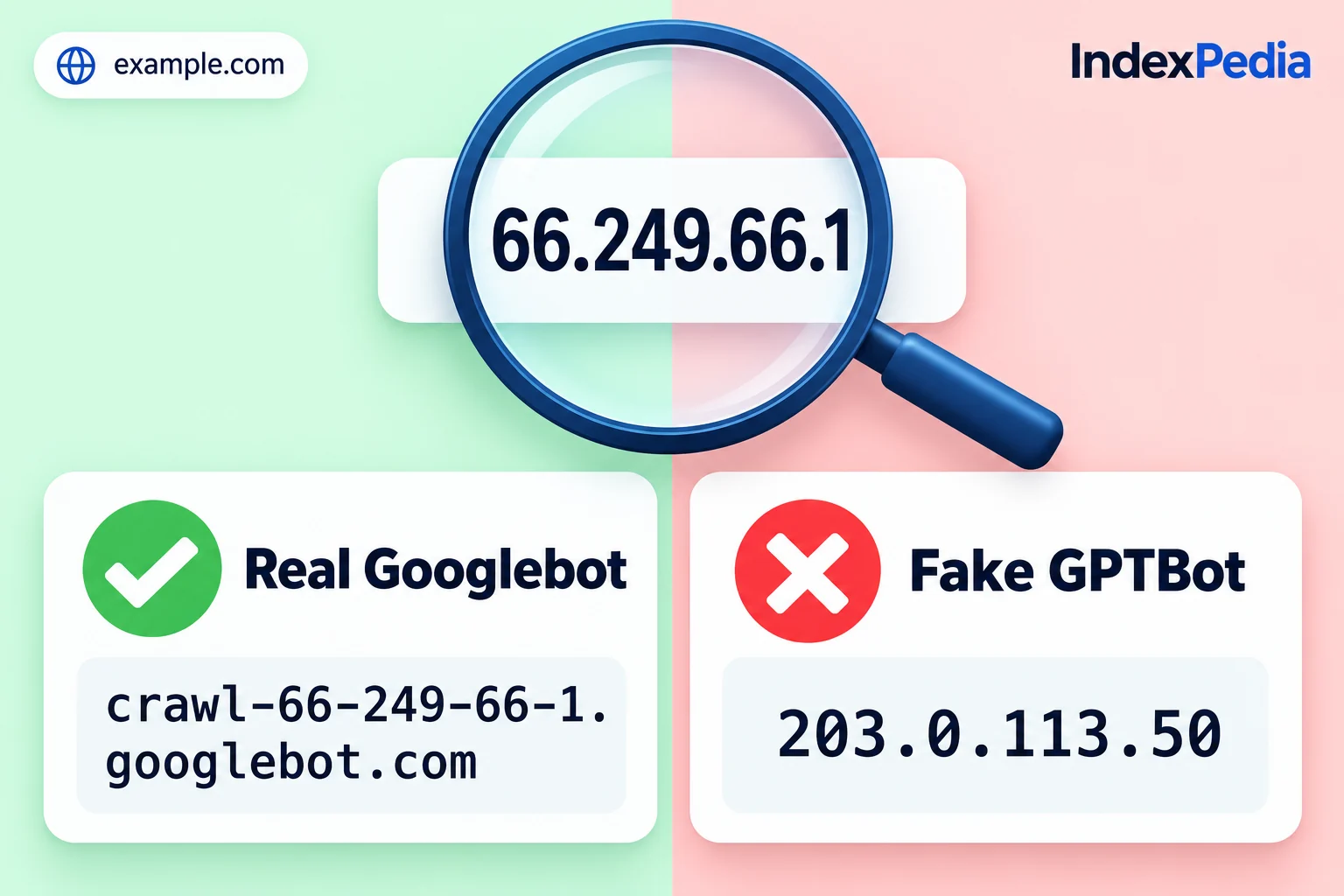
The Bot checker answers one question: did this visit really come from the crawler it names? Below are two of its results, one real Googlebot and one visitor that only claims to be GPTBot, followed by how the check decides and how to block fakes without hurting your place in Google or AI search.
- Where in the app
- /tools/verify-bot
- Plan
- Free, no account needed
- Time it takes
- About a second per address
- What you need
- An IP address from your log or firewall
- Works on
- Googlebot, Bingbot, GPTBot, OAI-SearchBot, ChatGPT-User, PerplexityBot, Applebot
Real or fake: the two results
The green result
The first visitor came from 66.249.66.1 and said it was Googlebot. The checker looked up that address, found the host name crawl-66-249-66-1.googlebot.com, and then found the address on the list Google publishes for Googlebot. The verdict is green: Real Googlebot.
This visit came from Google, and you want it on your site. Blocking it would slowly push your pages out of Google Search and AI Overviews.
The red result
The second visitor came from 203.0.113.50 and said it was GPTBot, OpenAI's crawler. That address isn't on the list OpenAI publishes for GPTBot, so the verdict is red: Not the real GPTBot. Some other program sent the request under OpenAI's name.
When I see a red result, I don't panic. One fake address is normal. What I look at next is how often it shows up in the log and which pages it asked for.
Why bots lie about who they are
Every visitor sends a short line of text called the user agent. Your browser sends one, Googlebot sends one with "Googlebot" in it, and GPTBot sends one with "GPTBot".
Anyone can type anything into that line. One setting in a scraping tool is enough to claim "I am Googlebot", and scrapers do it on purpose: many sites, firewalls and security plugins skip rate limits for Googlebot or let AI crawlers past a block, so a borrowed name gets the scraper the same treatment.
Once inside, fake bots copy your content, prices and photos, use up server resources, and probe login pages and old plugins. They also inflate your crawler numbers, so you can't trust what you see. To tell them apart you have to look at the address a request comes from, because the name can be copied.
How it works, step by step
The Bot checker follows the rules each crawler's owner publishes, so its verdict matches what the owner would say. When you paste an address, it does this:
- 1Paste an IP address
Copy an address from your server log, firewall or security plugin, such as 66.249.66.1.
- 2Pick the crawler
Choose the bot it claims to be, like Googlebot or GPTBot, or let the checker test all of them.
- 3Match against the official list
Google, Microsoft, OpenAI, Perplexity and Apple publish the IP ranges their crawlers use. The checker tests whether your address falls inside one of those ranges.
- 4Run the DNS check where it applies
For crawlers that verify by host name, the checker looks up the name for the address, confirms it belongs to the owner, then confirms the name points back to the same address.
- 5Show the verdict
You get Real, Fake or Not checkable, with how it was checked and the host name when there is one.
Step 3 in more detail: the published lists
Crawler owners publish the addresses their crawlers use so that site owners can catch impostors. OpenAI has separate lists for GPTBot, OAI-SearchBot and ChatGPT-User, Perplexity publishes one for PerplexityBot, and Google, Bing and Apple publish lists for Googlebot, Bingbot and Applebot.
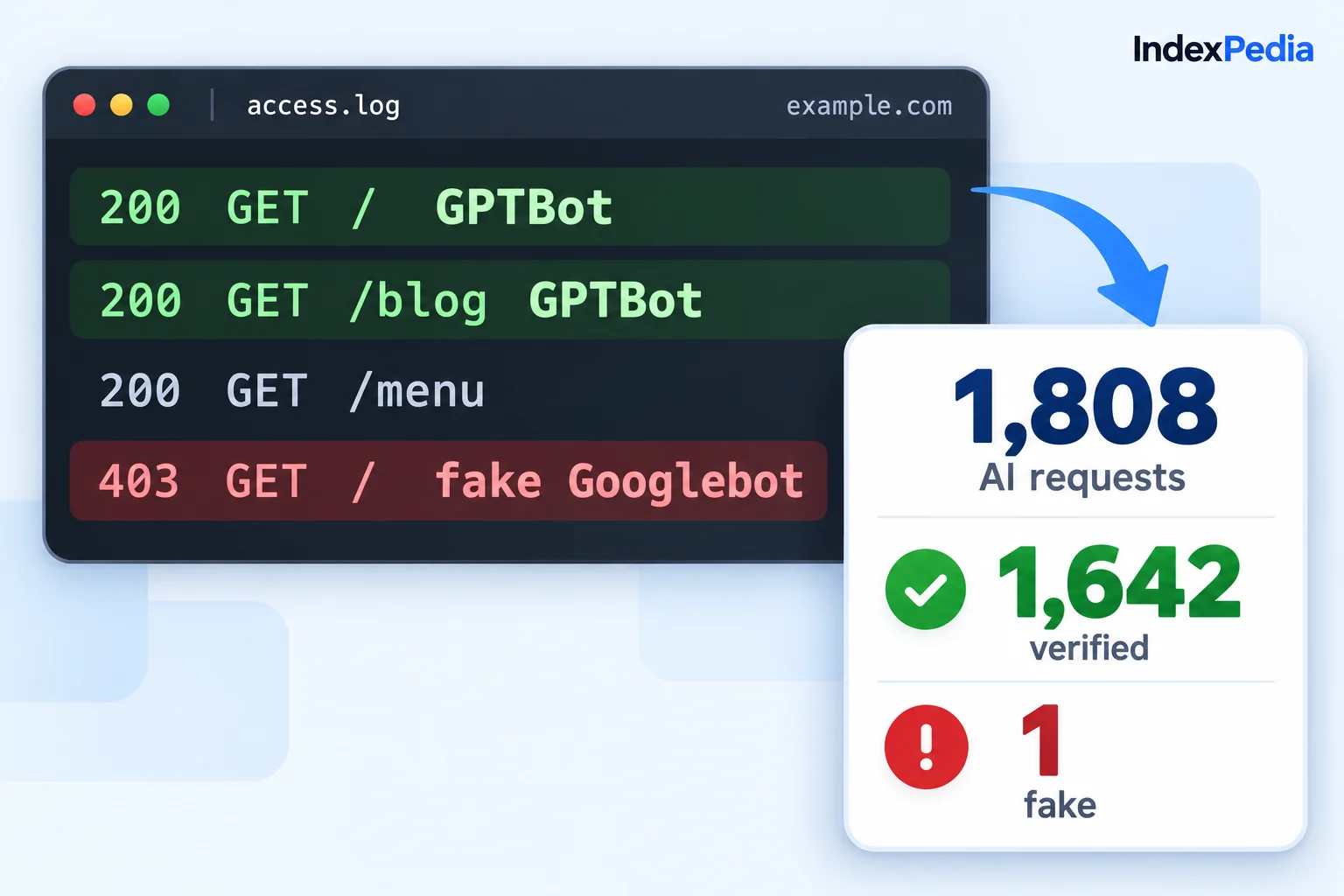
The lists change from time to time. IndexPedia reloads each owner's file regularly, so new ranges are picked up without you doing anything. The fake GPTBot above was caught this way: 203.0.113.50 isn't in any range OpenAI lists for GPTBot.
Step 4 in more detail: reverse and forward DNS
Google, Bing and Apple also document a DNS check, which you can run yourself on a Mac or Linux computer:
$ host 66.249.66.1
1.66.249.66.in-addr.arpa domain name pointer crawl-66-249-66-1.googlebot.com.

$ host crawl-66-249-66-1.googlebot.com
crawl-66-249-66-1.googlebot.com has address 66.249.66.1
The first lookup returns a name ending in googlebot.com, and the second points that name back to the same address. Both pass, which matches the green result above.
The second lookup decides it. A scraper can set up a reverse name that looks like Google's, but it can't make Google's own DNS point back to its address.
The three verdicts
- Real means the address is on the owner's official list or passed the reverse and forward DNS check.
- Fake means the owner publishes a way to check, and this address failed it.
- Not checkable means the owner doesn't yet publish a method the checker can use, so there's no official way to say whether the visit is real.
Is that AI bot real?
What the Bot checker covers
Matches each address against the ranges Google, Bing, OpenAI, Perplexity and Apple publish
The verdict comes from the owner's own data
Looks up the host name and confirms it points back, for crawlers that verify by name
Googlebot, Bingbot and Applebot are checked the way their owners recommend
Covers search, AI search and training bots, from Googlebot to GPTBot and PerplexityBot
One tool answers the question for every bot in your log
Shows Real, Fake or Not checkable, with how it was checked
You can decide straight away whether to allow or block
Reloads each owner's published list regularly
New crawler ranges aren't flagged as fake by mistake
Hands off to the Log Analyzer for thousands of addresses at once
You can check a week of traffic, not just one visitor
Blocking fake bots the safe way
Once you know an address is fake, block it, but be careful how.
Block the address, never the name
Blocking the user agent "GPTBot" also blocks the real GPTBot, and blocking "Googlebot" locks out Google itself. Fake bots share the name but not the address, so block the address.
The firewall blocked every visitor named GPTBot, including the real one, while fakes using other names kept scraping.
Real crawlers are allowed by name, and the fake address 203.0.113.50 found by the Bot checker is blocked by IP.
Use your firewall, not robots.txt
Real crawlers follow robots.txt, but it's only a request, and fake bots usually ignore it. To stop a fake, block it in your firewall, hosting panel or security plugin. On an nginx server the rule looks like this:
location / {
    deny 203.0.113.50;
}
If you're not sure how to add a rule, look for an "IP blocklist" setting; most hosts and security plugins have one that does the same thing.
Check before you block a whole range
Blocking one address is safe. Before you block a whole range, paste a couple of addresses from it into the checker and make sure none come back green.
My rule of thumb: only block what came back red. Green stays. Not checkable gets watched, not blocked, until there's a reason.
Keep the real crawlers welcome
The opposite mistake happens too. Some security plugins have "block bots" or "block AI" switches that stop Googlebot, Bingbot, OAI-SearchBot or PerplexityBot without telling you. The AI crawler tracker shows every verified visit per bot, so you'll notice if a real crawler disappears. Our tour of which AI crawlers visit your site explains what each one does.
From one address to a whole week
The owner of Golden Crust Bakery in Raleigh, NC noticed a busy "GPTBot" hitting the login page in her security plugin. One paste into the Bot checker showed it was fake.
The checker suits one suspicious visitor at a time. To check every crawler visit at once, upload your access log to the free Log Analyzer, which runs the same official check on every visit and counts the real, fake and blocked ones. Our guide on how to read your server logs for AI bots walks through that report.
What it means for your bakery, or any business
Golden Crust stops scrapers from copying her prices and photos, and her server spends its time on real customers instead of fake bots.
Fake traffic is blocked by address while Googlebot, GPTBot and PerplexityBot keep getting normal answers, so nothing important breaks.
Real crawlers find the site open and working every time they visit.
Is that AI bot real?
FAQ
How do I check if Googlebot is real?
Paste the IP address into the Bot checker and pick Googlebot. It compares the address with Google's published list and runs the reverse and forward DNS check. A green result means the visit came from Google.
Why did my GPTBot come back as fake?
The address isn't on the list OpenAI publishes for GPTBot, so another program used the GPTBot name. Real GPTBot visits always come from OpenAI's published addresses.
Is it safe to block a fake Googlebot?
Yes. The real Googlebot always comes from Google's published addresses, so blocking addresses that fail the check doesn't affect your rankings in Google, Bing or AI search.
What does "not checkable" mean?
The crawler's owner doesn't publish an IP list or DNS method the checker can use yet, so the visit could be real or fake. Watch it rather than block it.